Endless copy-pasting
Downloading bank CSVs, retyping transactions and totalling up columns for hours every single month.
MTD Master brings bank transactions, day-to-day bookkeeping, tax estimates and accountant-ready reports together in one private Windows app — without turning your business into a spreadsheet project.
 Watch the 45-second demo
If you're still keeping your books in spreadsheets, you know the grind — and it is easy to lose confidence in the numbers.
Downloading bank CSVs, retyping transactions and totalling up columns for hours every single month.
Mis-categorise an expense or miss a transaction and the numbers you give your accountant may be wrong.
Receipts in one place, statements in another, spreadsheets on three machines. Nothing lives where you need it.
MTD Master turns everyday bookkeeping and accountant handover into one calm, joined-up workflow.
Securely link your bank account and let transactions flow in automatically — no more CSV downloads or retyping statements.
MTD Master learns how you categorise and auto-sorts income and expenses, so you always know what counts as a deduction.
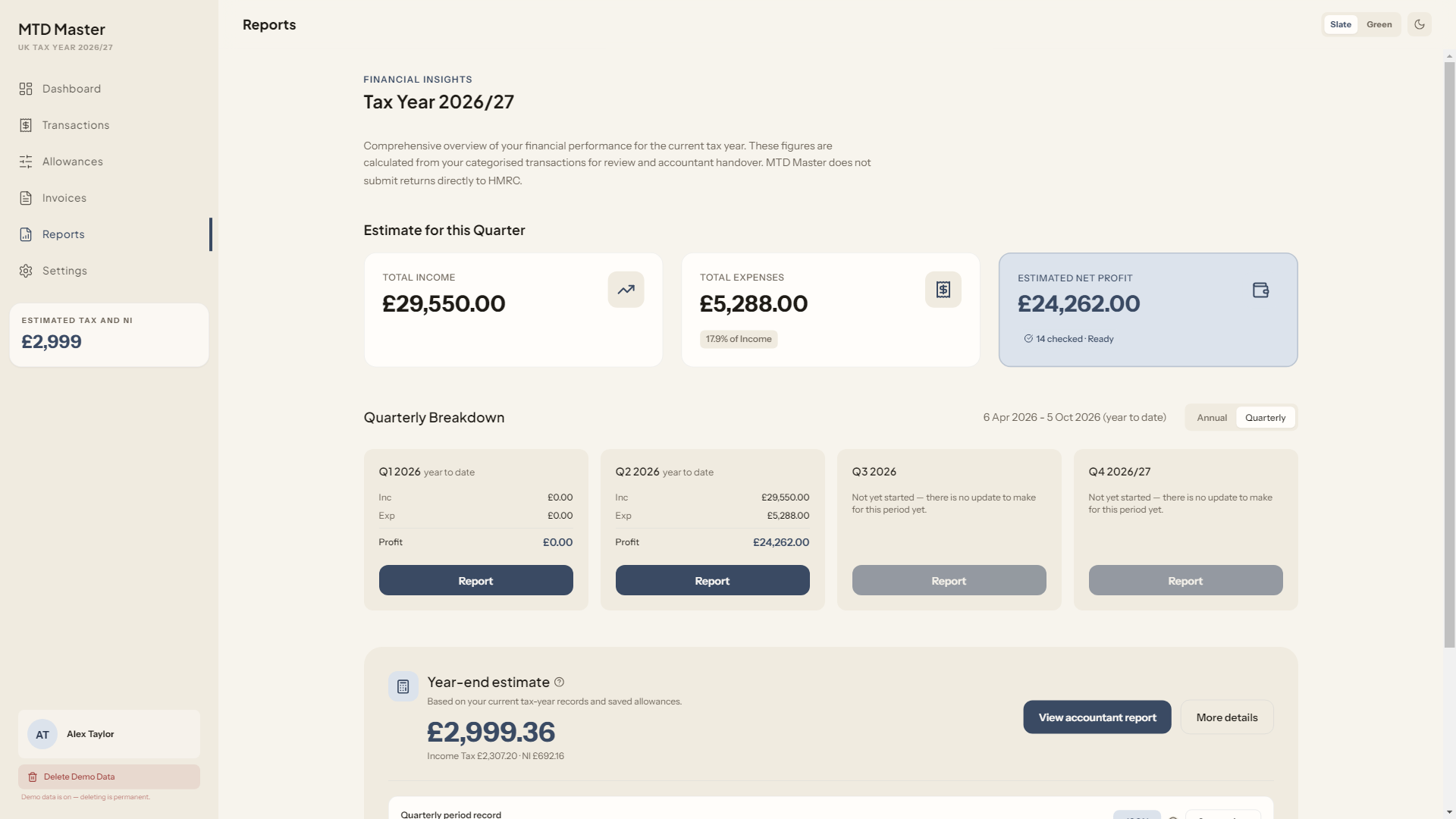
See estimated tax calculations and allowances alongside your records, with clear checks before quarterly reports are exported.
Create a clean handover pack in PDF, Excel, CSV or JSON for your accountant or compatible filing software.
Your bookkeeping records stay in a local database, while BankSync tokens use Windows-protected storage where available.
Move from imported activity to reviewed, organised records without losing evenings to repetitive spreadsheet work.
Link your account securely via Open Banking. Consent is yours — grant and revoke it any time.
Your latest transactions are downloaded automatically and ready for you to review.
Income and expenses are sorted for you. You only need to confirm the occasional one.
Finalise your records, then create clear reports for your accountant or compatible filing software.
MTD Master is built around local bookkeeping. Your live records and evidence stay on your Windows PC, while read-only bank access imports transactions without sharing your bank login details.
"I used to lose a whole weekend to my spreadsheets. Now my records are ready when my accountant needs them."
"The categorisation workflow keeps the review manageable, so I feel much more confident in my numbers."
"Handing my accountant a clean report pack has genuinely been a game changer."
Making Tax Digital (MTD) is HMRC's programme for digital record-keeping and filing. MTD Master helps sole traders keep organised digital records and prepare reports for an accountant or compatible filing software; it does not submit returns directly to HMRC.
Your live bookkeeping database and evidence files are stored locally on your Windows PC. BankSync tokens use Windows secure storage where available, and portable backups are password-encrypted. Protect your Windows account and device because the live working database itself is not encrypted at rest.
MTD Master does not replace tax advice or file directly with HMRC. It keeps your records organised and creates a clear handover pack for your accountant, or for use with compatible filing software.
MTD Master uses Open Banking through BankSync. You link your account once, grant your consent, and your transactions flow in automatically. You can connect multiple accounts and revoke consent at any time.
MTD Master currently supports one UK sole-trader trade. Companies, partnerships, property businesses, trusts, VAT filing, multiple trades and direct HMRC filing are not supported.
MTD Master is a standalone Windows app for Windows 10 and 11. It's designed to run locally on your Windows machine for a fast, offline-first experience.
Import transactions, review your numbers and prepare accountant-ready reports — all in one private Windows app.